
✅ Meta Description:
YouTube removed its Trending tab in 2025. Here’s what replaced it — and how viewers and creators can still find what’s going viral using Shorts, Explore, and location-based tools.
📺 YouTube’s Trending Tab Is Gone. Here’s Why That Matters in 2025
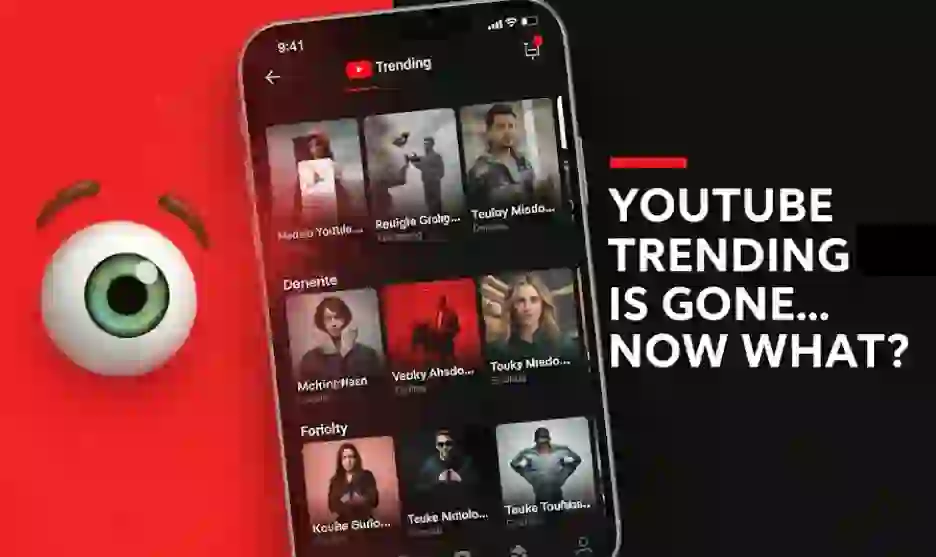
In July 2025, YouTube quietly killed off its long-standing Trending tab — once the daily pulse of global virality.
If you opened YouTube hoping to catch today’s top hit, it’s no longer in a neat list.
🎙️ “The Trending tab was no longer the best way to show you what matters.”
— YouTube Official Blog, July 2025
So… what happened? And more importantly, how do you find what’s really trending now?
❌ Why Did YouTube Remove the Trending Tab?
YouTube didn’t just hit delete for fun. It responded to deep behavioral shifts among its 2.7 billion users:
📉 1. Low User Engagement
Most people weren’t even checking the Trending tab. Viewers were more likely to watch:
- Shorts from the home feed
- Personalized algorithm picks
- Videos found via search or subscriptions
🤖 2. Rise of AI-Powered Recommendations
YouTube’s machine learning has matured. Rather than showing the same videos to everyone, it now offers:
- Personal suggestions based on watch history
- Tailored content using Shorts behavior
- Dynamic updates based on location and trends
📍 3. No Local Relevance
Seeing the same viral video whether you’re in Dallas or Des Moines? That’s outdated. Viewers want regional context.
📱 4. Shorts Changed the Game
Over 70% of YouTube mobile views in 2025 come from Shorts. Short-form is the new battleground — and YouTube adapted accordingly.
🔎 So… How Do You Find What’s Trending Now?
Here’s how to stay on top of viral content — even without the Trending tab.
🧭 1. Explore Tab = Your New Compass
Think of it as Trending 2.0 — but smarter.
You’ll find:
- Top videos by category (Music, Gaming, News, Movies)
- Country-specific charts like “Popular in the U.S.”
- Real-time charts for Shorts and creators
How to use:
→ YouTube Mobile App → Tap “Explore” from the bottom navigation
🎯 2. Follow the Shorts Shelf
Shorts now dominate YouTube’s discovery engine.
Look for trends like:
- 🔁 Looping dance challenges
- 🤖 AI-generated memes
- 🎭 Viral sound clips
Pro Tip: Search these hashtags:
#ThisWeekOnYouTube#ShortsTrend#ForYou
📍 3. Enable Local Recommendations
Want to know what’s trending in your ZIP code?
Steps:
→ Settings → Location → Toggle “Use Precise Location”
Now your feed reflects what your neighbors are watching.
🔄 4. Use Smart Search Suggestions
Try typing these into the YouTube search bar:
- “Trending now in Miami”
- “Top Shorts this week”
- “Popular cooking tutorials today”
- “Today’s viral news”
You’ll see suggestions based on real-time user trends.
🔔 5. Subscribe to Trend-Tracking Creators
Some creators do the legwork for you. Follow:
- “YouTube Today” breakdown channels
- Niche-specific curators (fitness, beauty, AI, etc.)
- Early adopters of new viral formats
Bonus: Track YouTube Charts for what’s rising fast.
📩 6. Opt Into Weekly Highlights Email
YouTube sends out “What’s Hot” every Monday if enabled.
You’ll get:
- Most liked Shorts
- Fastest-growing creators
- Top regional content
Turn it on:
→ Settings → Notifications → Email → Highlights
🧠 7. Use Third-Party Trend Tools
If you’re serious about staying ahead, try:
- TrendMap.ai – location-based trend mapping
- SocialBlade – growth & creator analysis
- Noxinfluencer – influencer trend tracking
📈 What This Means for Creators in 2025
Losing the Trending tab isn’t bad news — it’s a new kind of opportunity.
| Pros | Cons |
|---|---|
| 🔹 Local creators rise faster | 🔸 No global “billboard” list |
| 🔹 Discovery is personalized | 🔸 More reliance on algorithm behavior |
| 🔹 Niche trends grow rapidly | 🔸 Short-form dominance = adapt fast |
Strategy Tip:
Double down on Shorts, location tagging, and niche hashtags.
Need help adapting?
→ Check our YouTube Ban 2025 survival guide for tips on platform resilience.
✅ Final Thoughts: The End of Trending Is the Start of Smarter Discovery
In 2025, YouTube has become more personalized, regional, and short-form focused than ever before.
The death of Trending is not the end — it’s an upgrade.
Whether you’re just watching or growing your channel, now’s the time to:
- Explore smarter
- Search better
- Ride viral waves before they peak
👉 Update your app. Set your location. Embrace Shorts. The new YouTube is already here.
❓ FAQ – YouTube Trending Tab (2025)
Q1: Why did YouTube remove the Trending tab?
A: Due to low engagement, generic content, and the rise of personalized discovery tools.
Q2: What replaced it?
A: The Explore tab now features category-based and regional trending content.
Q3: Can I still find U.S. trending videos?
A: Yes. Use Explore or YouTube Charts and enable location-based suggestions.
Q4: How do I see what’s trending locally?
A: Go to Settings → Location → Enable “Precise Location.”
Q5: Are Shorts more important than long videos now?
A: For discovery, yes. Shorts drive most growth in 2025.